Full Source · Full Rights

Why rent your CRM by the seat when you could own the whole platform?

Own a complete AI-native CRM. Full source, full rights, one flat price.

AdiCRM.AI is a production-tested CRM platform you buy outright — web app, native iOS and Android apps, a 145M-contact B2B engine, and an AI Developer that lets you extend or rebrand it with no dev team. No per-seat fees. No SaaS rent.

20-minute scoping call · 30-day code warranty · GitHub handoff in 24 hours

145M
B2B contact engine
3 apps
web + iOS + Android
$2,500
one-time, own it

What you're actually getting

A real platform. Yours to own.

Production-tested across real agencies. Multi-tenant from day one. AI woven through the data model, not bolted to the side. Packaged for you to run your business on — without paying rent on it forever.

🤖
AI Developer Agent built in
Describe a feature in plain English — it ships it. No tickets, no waiting, no dev team.
🗂️
145M B2B contacts, included
A licensed B2B database wired directly into the platform. Build lists, run sequences, dial.
🏢
Multi-tenant from day one
Unlimited tenants on one deployment — full isolation, custom domains, white-label branding.
🧠
AI woven through the architecture
Wired through the data model, workflows, agents, and editor — not a chatbot on the side.
📱
Native mobile apps
iOS and Android source included. Same API, same data, ready for the app stores.
🔓
Full rights, including resale
Modify, rebrand, resell, sublicense. Once you have the code, it's yours.

"No per-seat fees. No SaaS rent. No dev team. A real platform — yours outright."

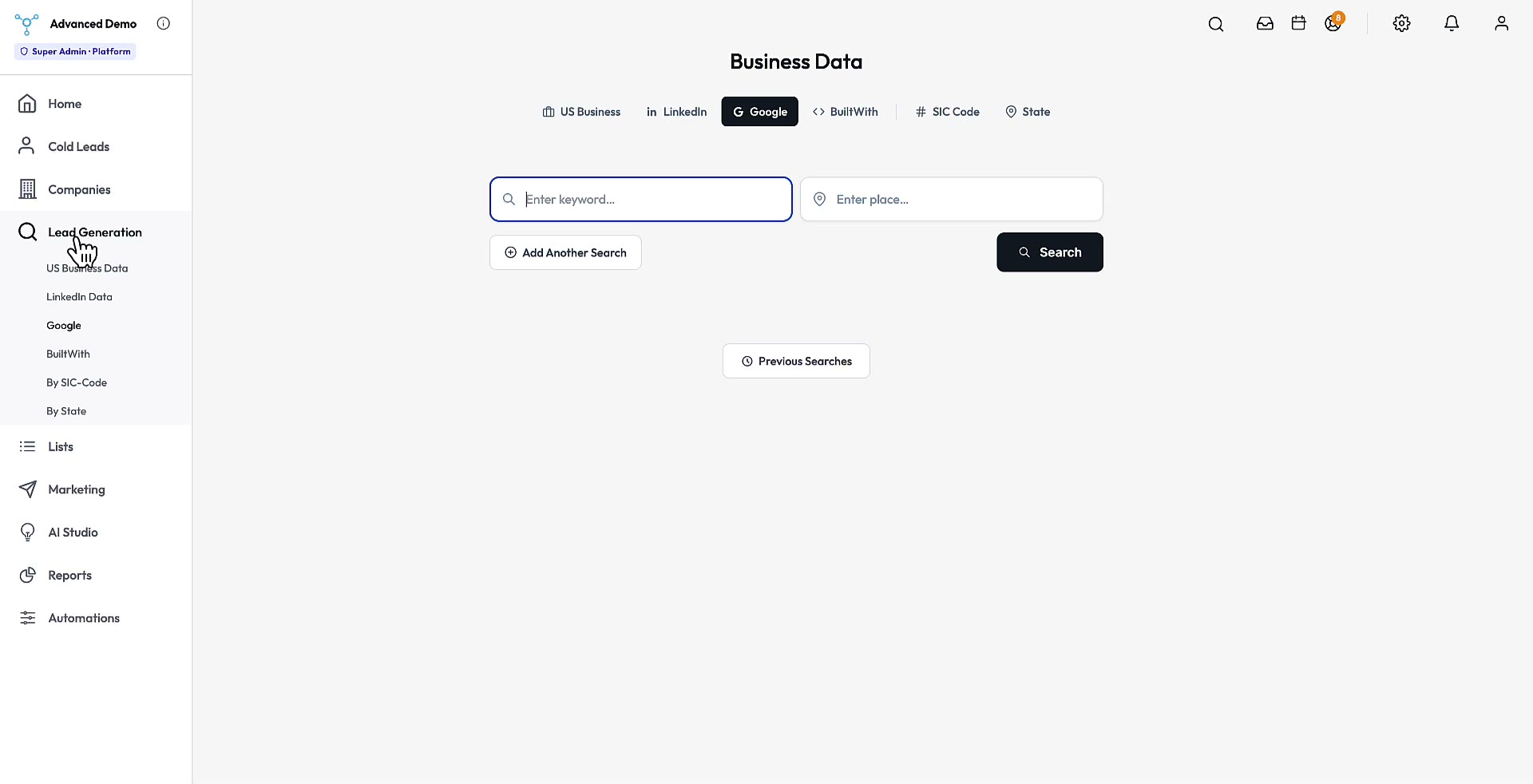
B2B Database

No list-buying. No monthly Apollo, ZoomInfo, or Sales Navigator bills.

145M business + 45M LinkedIn contacts. Owned, built-in, automated.

Two owned databases, two live APIs, and a quick SIC + state export — all wired into the platform. Sell any product or service without renting your buyer data from someone else.

Tier 1 · Owned — included, no subscription, no per-record fees

Owned · Included

145M US business contacts

Name, title, verified email, direct phone, company, industry, SIC code, employee count, revenue, and address — for 145 million US business contacts. Search, segment, and push directly into a sequence or AI Agent.

145M
contacts
Verified
email + phone
SIC + state
filters
Owned · Included

45M LinkedIn contacts

Owned LinkedIn-sourced records — title, seniority, company, industry, and company size — for 45 million professionals. Best for high-intent role targeting (VPs, founders, ops leads) when SIC code alone isn't specific enough.

45M
professionals
Title + role
targeting
Company size
filter

Tier 2 · Live APIs — pay only for what you query

Google Maps Places

Pull contacts by city, region, or radius around an address. Filter by category and keyword. Ideal for services with a geographic ICP, local-market operators, or anyone targeting brick-and-mortar.

BuiltWith

Find prospects already running a specific competitor, payment processor, or tool. Multi-select tech stack + employee, industry, and country filters. Perfect for displacement plays and integration sells.

Tier 3 · Export — for data you need outside the CRM

Pull data out by SIC code and state

Pick a SIC code (e.g. 75-2 Automotive Repair Shops, 75-3 Carwashes) and one or more states — get a clean CSV in seconds. The download is built into the platform — no extra license, no third-party data broker in the middle.

  • Filter by SIC code (4-digit + sub-category)
  • Multi-state selection (IL, IN, all 50)
  • CSV export, no row caps
  • Verified email + phone on every record

"Every record from either owned database, either live API, or a SIC + state download can be pushed directly into an AI Agent — verified, personalized, and sequenced automatically."

Automated Outreach

What if your pipeline filled itself while you worked on everything else?

Outreach on autopilot. AI Agents that work the database for you.

AI Agents pull contacts from the 145M B2B database, verify them, draft personalized outreach, and book the calls that close. Set the daily cap, define the ICP, watch the calendar fill.

Wired for everything:

📦
Any product
Software, SaaS, ecommerce, physical goods. Same mechanics work for anything with a buyer profile.
🤝
Any service
Agencies, consulting, advisory, coaching. Define your ICP by job title and industry — the agents source, qualify, and start the conversation.
🎯
Any buyer type
Founders, VPs, ops leads, IT decision-makers. If your buyer is identifiable by title + industry + behavior, the agents can find them.

The loop, end to end:

  • Pull matching prospects from the 145M database based on your ICP
  • Verify every email and phone before a single message goes out
  • Draft personalized outreach per contact — title, industry, and signal aware
  • Send at the daily cap you set, log everything, and book the calls that land

Instead of buying lists and mail-merging, you define the buyer once and the agents run the loop every day.

"The agents don't care what's on the other end. Define your ICP — they pull, verify, personalize, send, and log every day, at the cap you set."

The AI Developer

Type what you want. Get working code.

Every CRM has limits. Yours doesn't.

The AI Developer lives inside every install, fully trained on your codebase, schema, and conventions. Describe a feature in plain English — it's shipped in minutes. No tickets. No roadmap. No waiting on a dev team.

The AI suite, on real data — three more walkthroughs:

AI · 8:39

AI Studio

Visual sandbox for configuring AI across the CRM. Tune prompts, personas, tone, and which contexts each assistant has access to.

AI · 5:14

AI Agents

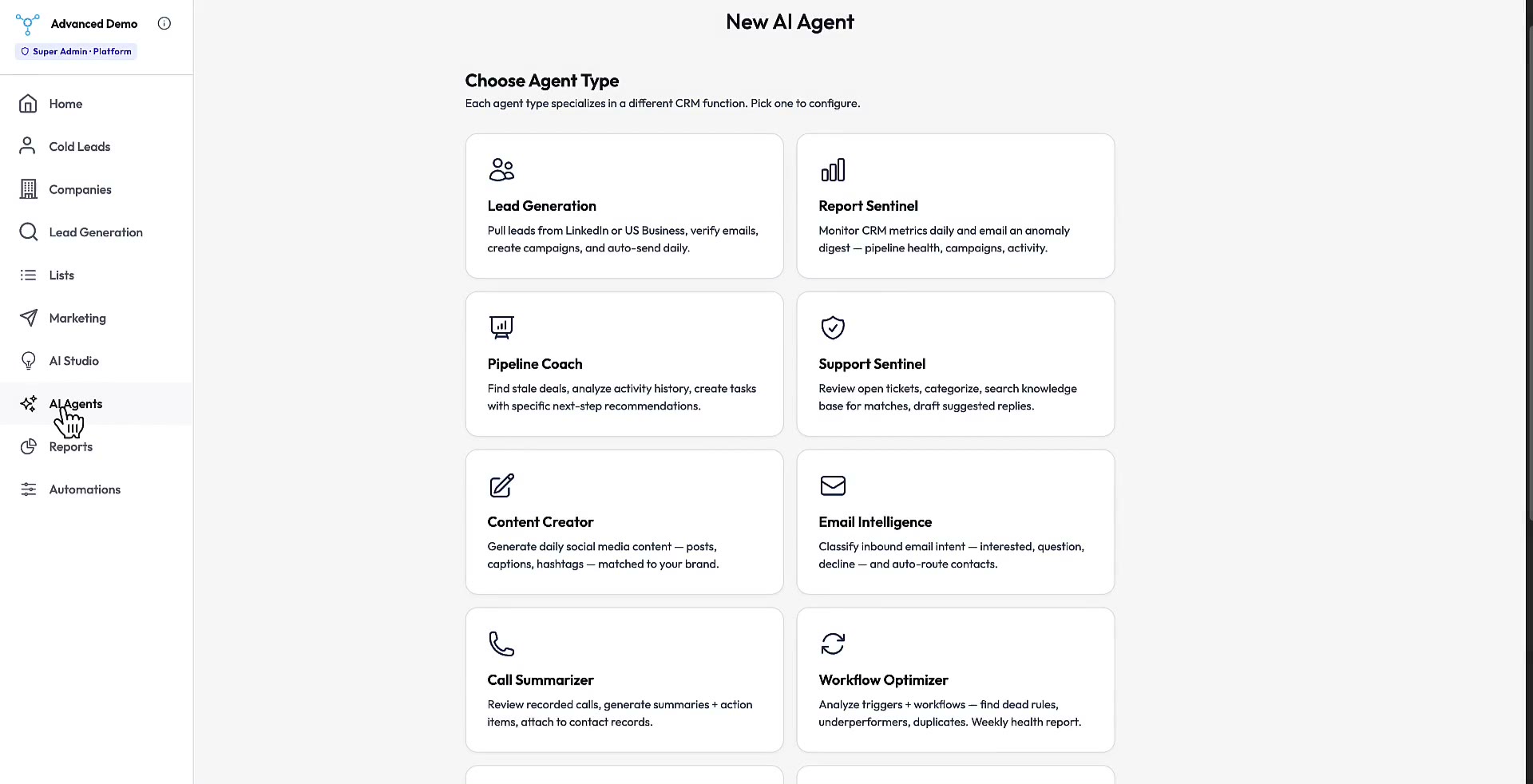
Always-on agents that monitor CRM events — flag stale deals, draft follow-ups, and fire workflows without a human at the keyboard.

AI · 2:57

AI Agent — Lead Gen

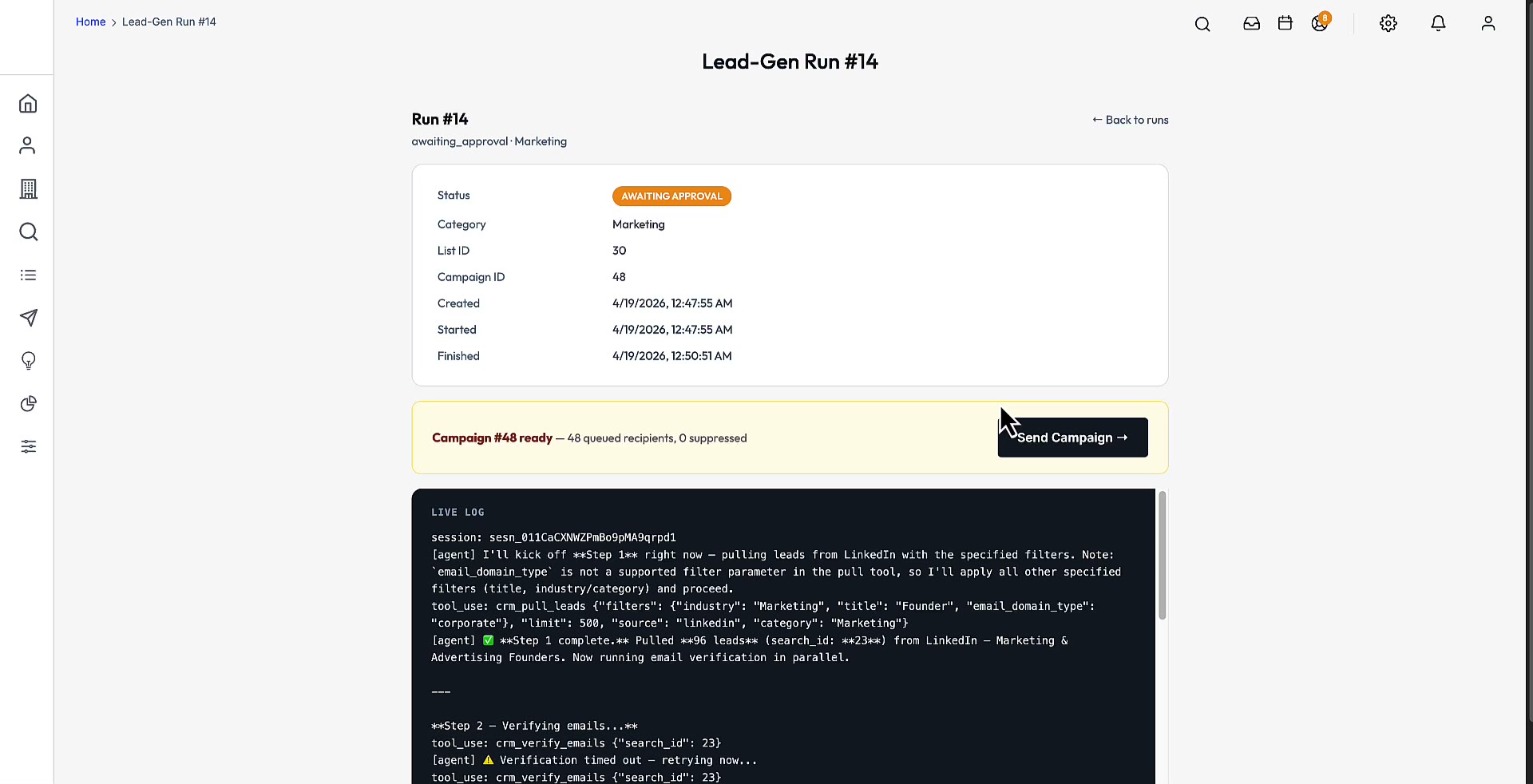
Lead-gen agent that works the 145M B2B database on autopilot — pulls matching prospects, enriches them, and queues outreach without manual list building.

Every other CRM

"This is great, but it can't do X."

  • File a ticket.
  • Wait for the roadmap.
  • Get told "it's on our list."
  • Pay for a feature request. Hope it ships next quarter.
  • Or fork the code and hire a dev team.

AdiCRM.AI

"This is great, and it does X."

  • Open the AI Developer panel.
  • Type: "Add a proposal module linked to contacts."
  • Paste the output into Claude Code.
  • Your CRM now has a proposal module — built to the same conventions as the rest of the codebase.
  • Total time: minutes.

Five tools, one workflow — all fully aware of your running codebase and schema:

  • Prompt Builder — five prompt types (feature build, bug fix, integration, schema change, new AI tool) that auto-inject platform rules and the relevant DB tables
  • Schema Explorer — every table in the live database, grouped by domain and searchable, never stale
  • API Playground — hit any endpoint from the browser; no curl, no Postman, no context switch
  • API Docs — a full REST reference generated from the running app, zero drift
  • Developer Chat — your codebase, on chat; ask anything, attach files as context

Four steps from idea to shipped:

  1. 01

    Describe what you want

    One paragraph, plain English. No architecture diagrams, no file paths, no boilerplate.

  2. 02

    The AI pulls in the codebase

    Live DB schema, active theme conventions, module patterns, and any files you want as reference — attached automatically.

  3. 03

    Get a multi-thousand-word build plan

    Platform rules, the exact query pattern, file paths, and step-by-step implementation. Ready to paste into Claude Code, Cursor, or any agentic tool.

  4. 04

    Run it. Ship it.

    The code matches your codebase on the first try. Review, run the migration, commit, done.

Real prompts, real results:

Feature build

"Build an appointments module linked to contacts with a date picker and status dropdown."

New module with CRUD + pipeline tab, migration included, mobile-ready UI.

Integration

"Add Google Calendar sync to the appointments module."

OAuth flow, cron job, bidirectional sync, settings panel — all wired up.

New AI tool

"Add natural-language search to the contacts list using the Anthropic API."

New search bar that converts plain-English queries to the existing Smart Search filter engine.

Bug fix

"Contact form submits without error but data is not saving to the database."

Root-cause analysis, the exact file and line, and the fix — tested against your actual schema.

If you've ever said "we need this but our CRM can't do it" — this is for you.

"Every SaaS vendor tells you 'it's on our roadmap.' Here, the roadmap is your keyboard."

Product Tour

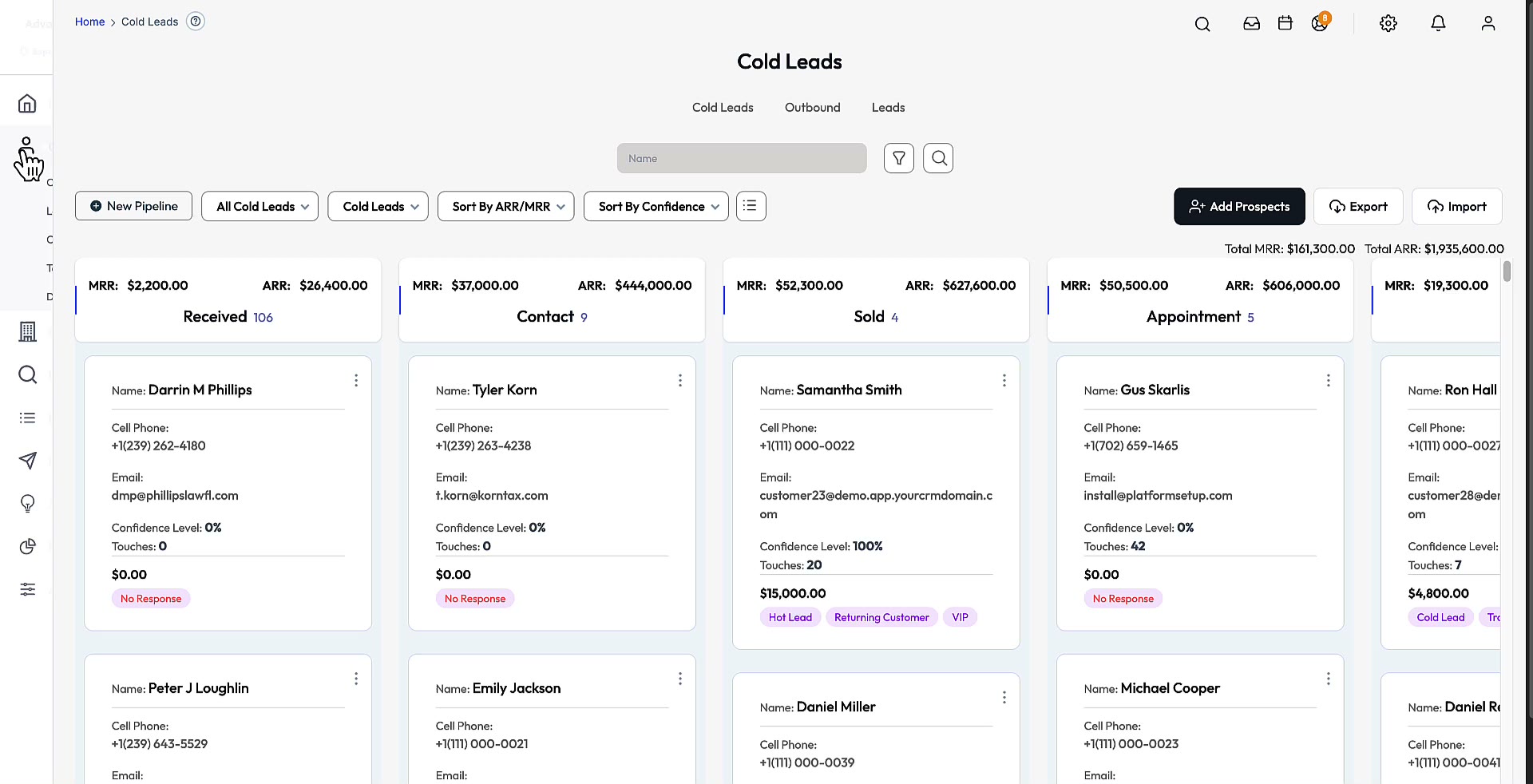
Start with the two-minute intro. Then pick any deep-dive to see the module working on real data.

See every feature, in minutes.

Every module, on real data — click any tile to watch:

AI · 7:33

AI Developer

Built-in Claude Code prompt generator. Feeds live DB schema + file context into a ready-to-paste prompt.

AI · 8:39

AI Studio

Visual sandbox for configuring AI across the CRM. Tune prompts, personas, tone, and contexts.

AI · 5:14

AI Agents

Always-on agents that monitor CRM events — flag stale deals, draft follow-ups, fire workflows.

AI · 2:57

AI Agent — Lead Gen

Lead-gen agent that works the 145M B2B database on autopilot — pulls, enriches, queues outreach.

Contacts · 6:33

Multi-tenant pipelines

Drag-and-drop kanban with per-company stages, custom fields, deal values, and forecasting.

Contacts · 5:20

Deals + quotes

Deal records with quote generation, line items, stage progression, and value roll-ups.

Contacts · 4:17

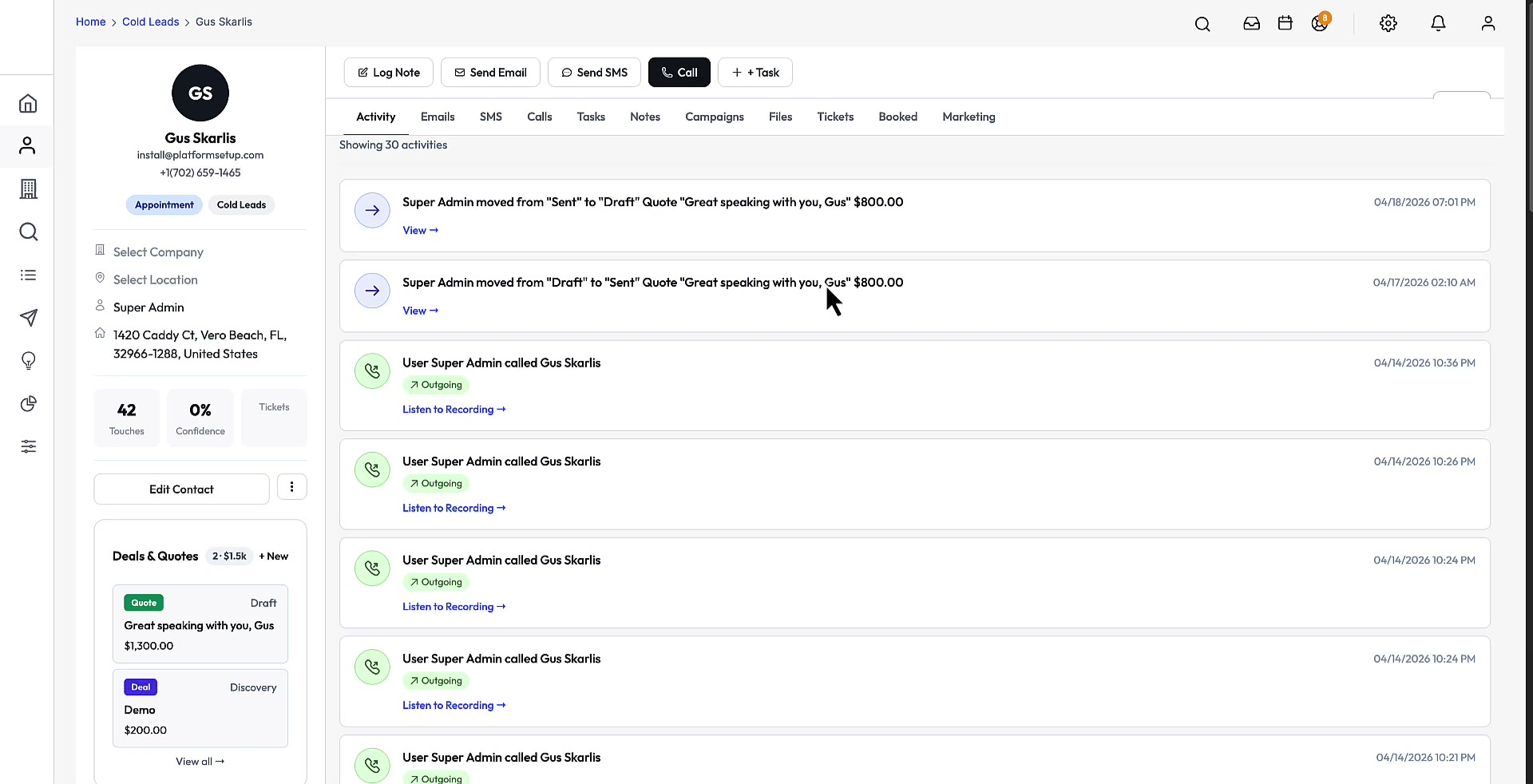
Contact details

Sidebar, horizontal tabs, compose panels, stage/status pills, files, notes, activity log.

Contacts · 3:10

Organizations (B2B)

Company-level records with stakeholder cards, primary contact, preview drawer, unified notes/calls.

Contacts · 2:57

Lists

Saved contact segments with dynamic or static membership. Share, feed into campaigns, export CSV.

Contacts · 2:49

Tasks

Tasks tied to any contact, deal, or stage. Due dates, assignees, reminders, completion trails.

Contacts · 1:01

Global search

Universal keyword search across every contact, organization, deal, message, and file.

Messaging · 3:06

Unified inbox

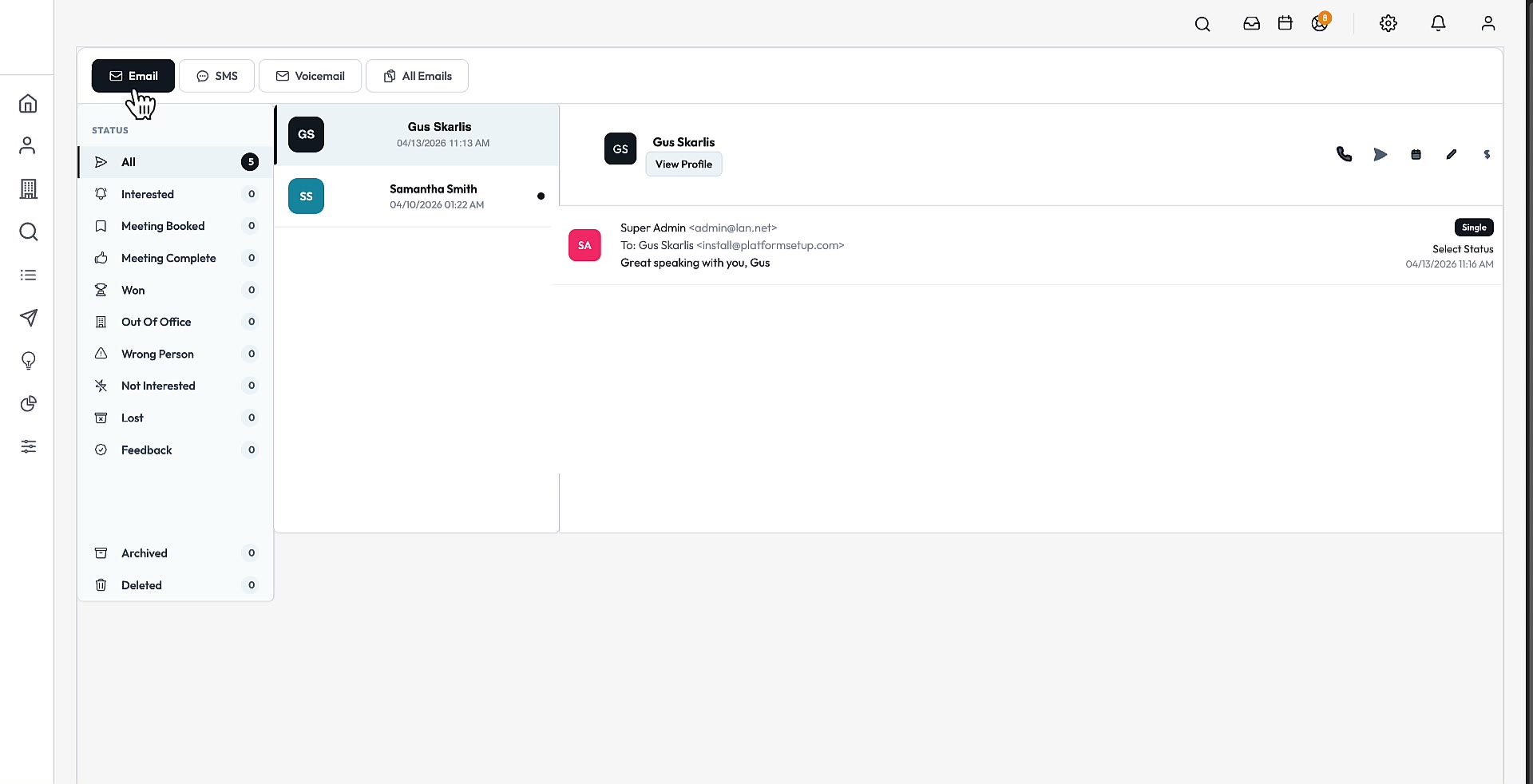
Email, SMS, and voicemail in one thread per contact. Channel toggle tabs.

Messaging · 8:58

Campaigns + sequences

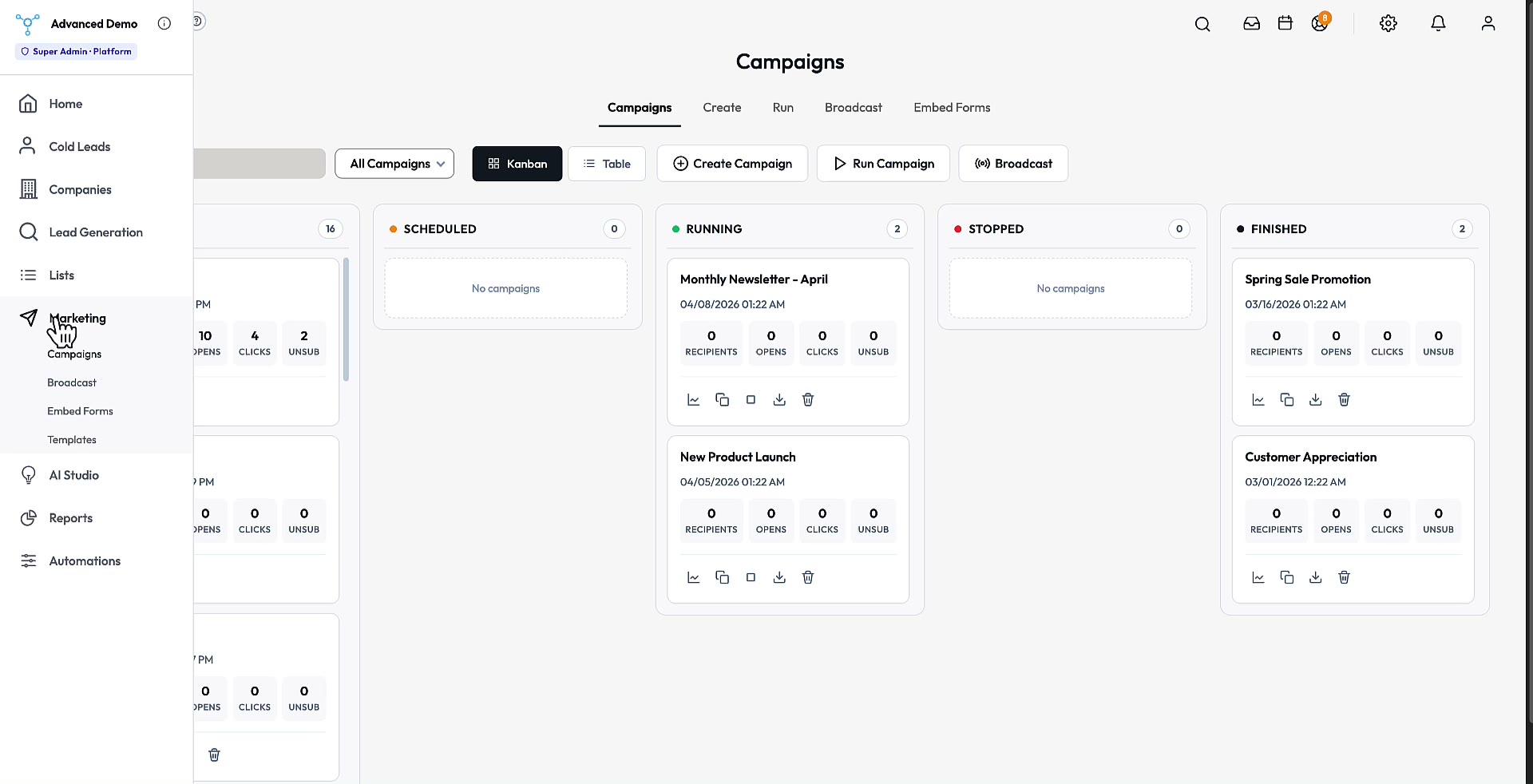
Multi-step drip campaigns with per-step delay, AI-drafted copy, and bounce suppression lists.

Messaging · 5:17

Power Dialer

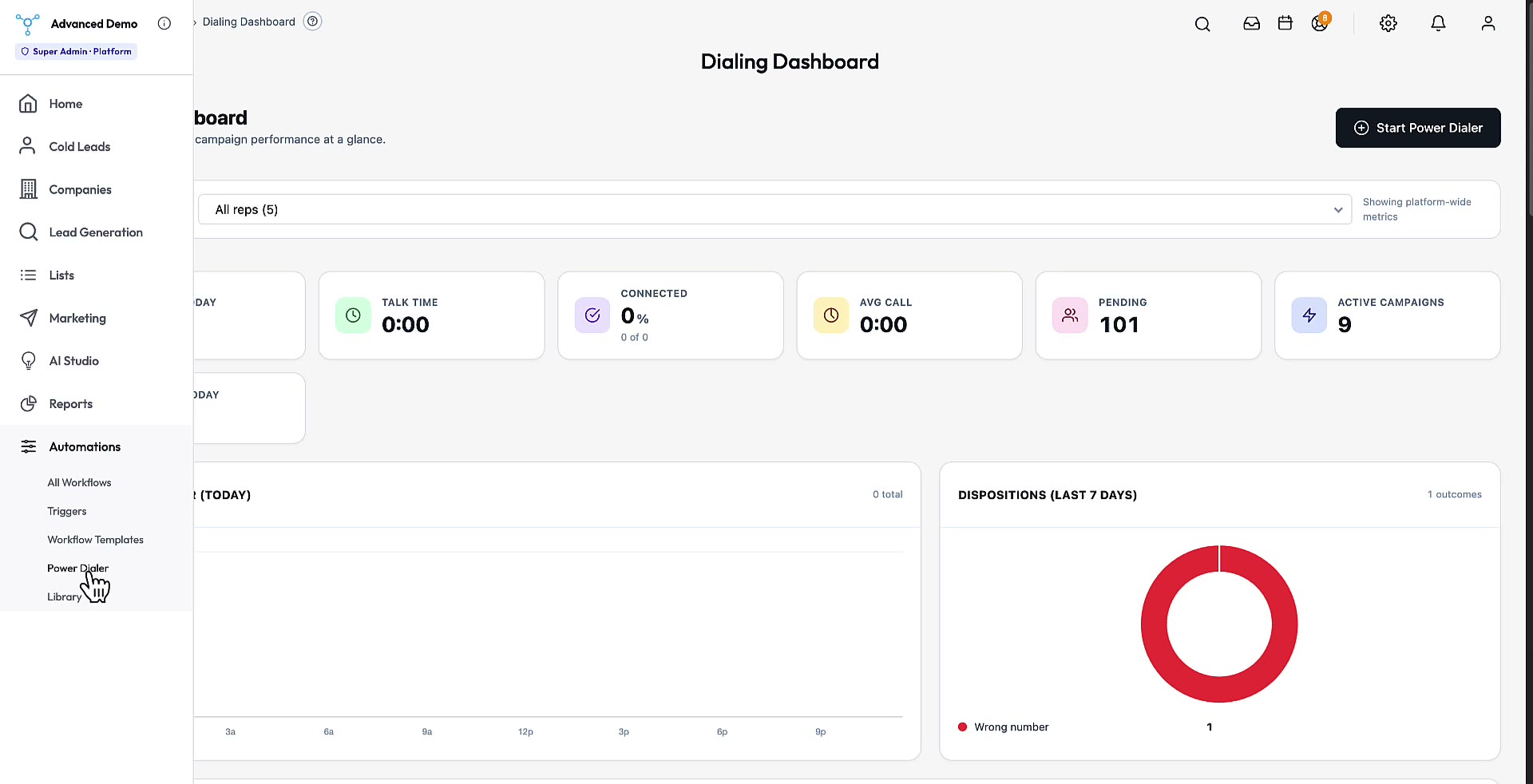
Click-to-dial queue. Auto-log outcomes, drop voicemails in one click, jump to the next number.

Messaging · 1:06

Nylas integration

Per-user API sync with Gmail, Microsoft 365, Yahoo, and AOL — email, contacts, calendar.

Automation · 17:00

145 Million B2B Database

Owned database and lead generation machine. Fully automated.

Automation · 3:05

Trigger automation

Fire email, SMS, tag, status change, task, or webhook on any contact event. Cron-driven.

Automation · 2:23

Workflows

Chain actions — send email, update field, assign task, wait N days, branch on condition.

Admin · 1:18

Account setup

Spinning up a fresh company account: profile, team, pipelines, and first-time defaults.

Admin · 1:18

CRM dashboard

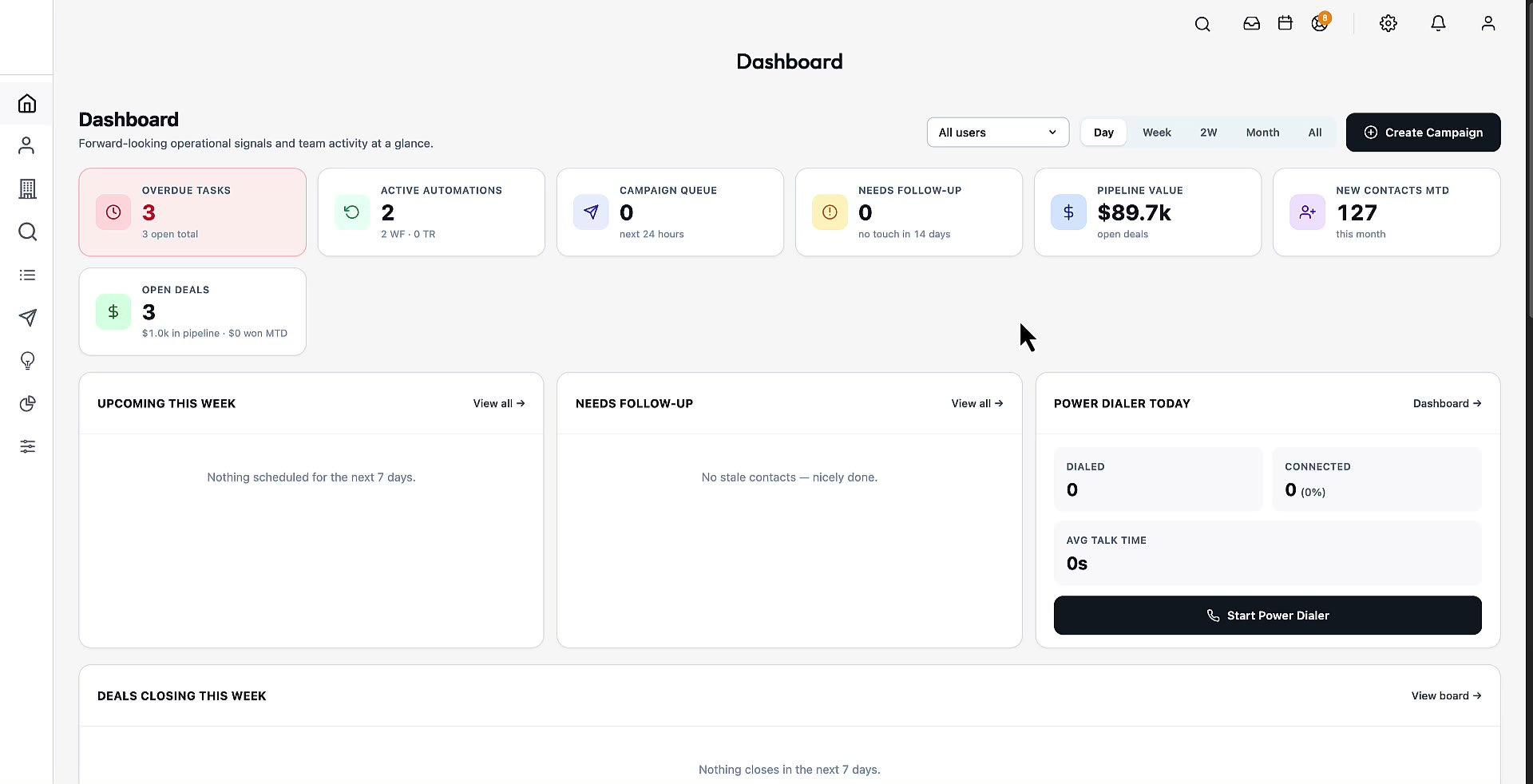
The at-a-glance home screen: pipeline value, deals in flight, activity feed, team leaderboard.

Admin · 2:08

Business settings

Vertical nav, 15 tabs — Email, Payments, Integrations, Pipeline, Notifications, Custom Fields.

Admin · 1:21

Tool tips

Built-in guided-tour system. Drop tooltips onto any element, chain them into a walkthrough, onboard users without docs.

Admin · 0:20

File library

Shared file storage — per-company, per-contact, or global. Attach files to any record.

Reports · 1:26

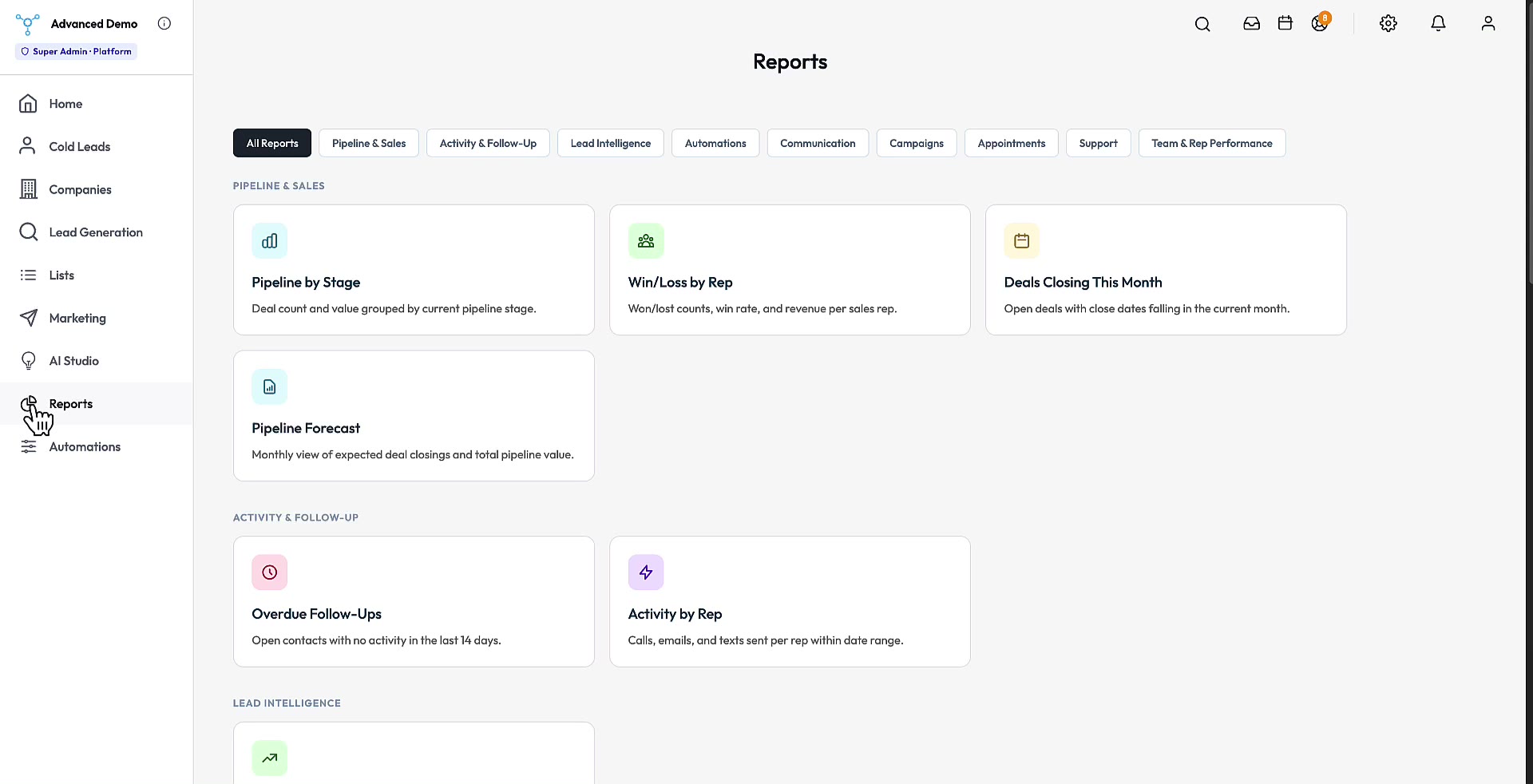
Reports

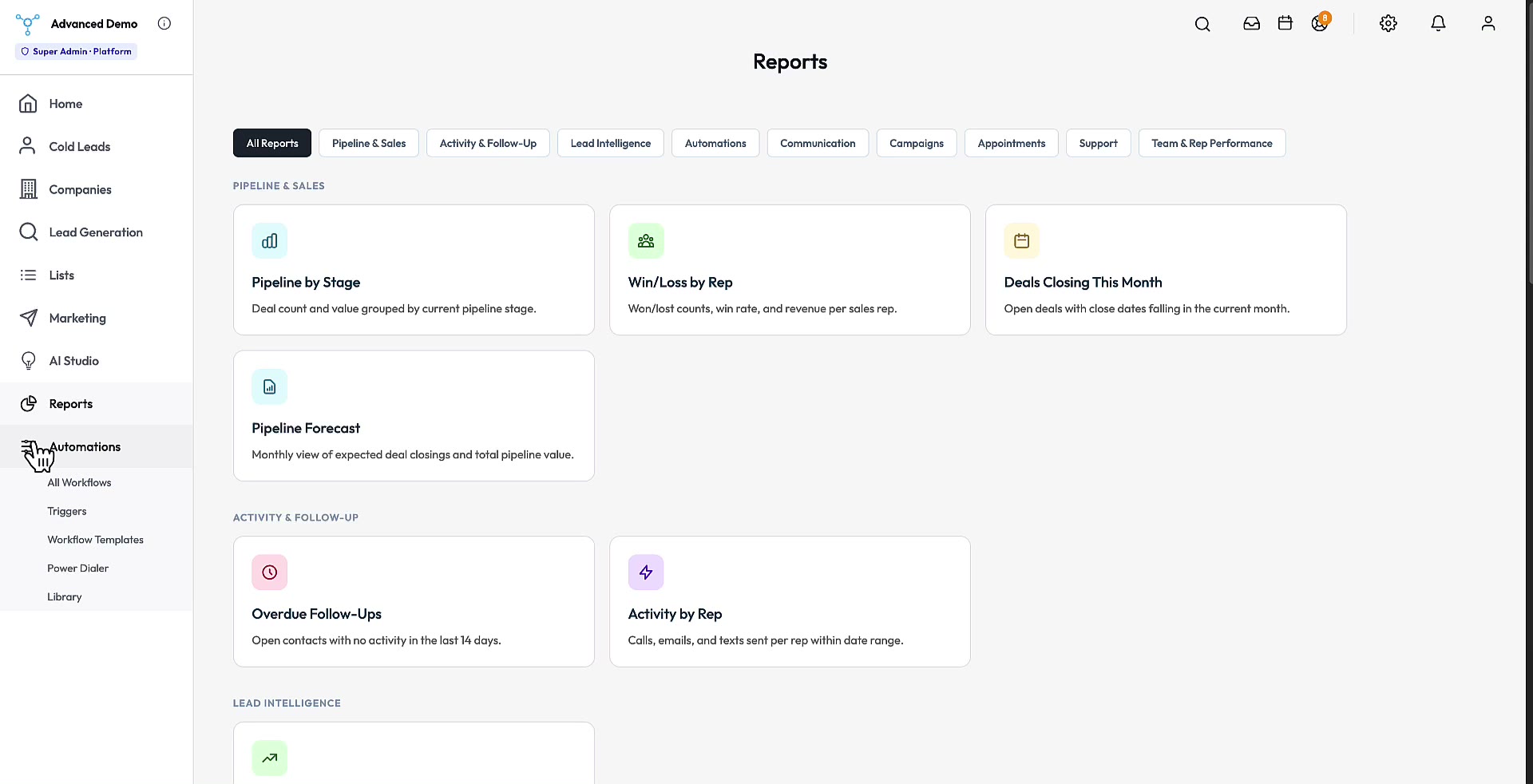
Pre-built reports on pipeline velocity, campaign performance, and team activity. Filter, export CSV, share a live URL.

"Watch the videos, then book a 20-minute call to scope what you need and walk through the source."

Pricing

Select the setup option that fits your skills. Every tier ships with the full document set.

$2500 to own the CRM.

Full source code delivered via GitHub repo invite and a Google Drive folder — web, iOS, and Android. One flat price. No seat fees, no recurring unlocks.

Source
Full CRM source. You install it yourself.
$2,500 one-time
  • Full source: web + iOS + Android
  • GitHub repo invite within 24 hours
  • Google Drive bundle: source, database, install scripts, MD docs, AI agent files
  • AI Developer Agent + onboarding wizard PDF
  • 145M B2B + 45M LinkedIn contact databases
  • 30-day code warranty
Fully Managed
$2,500 source + $299 install + $79/mo hosting
$2,878 first month · then $79/mo
  • Everything in Source + Install
  • Hosted on our DigitalOcean infrastructure (no DO account needed)
  • Server + uptime monitoring
  • No storage caps
  • Cancel hosting any time

Terms

Full ownership, no restrictions

Modify, use, resell, and sublicense as you please. Once you have the code, it's yours.

30-day code warranty

If a bug in the delivered source surfaces within 30 days, it gets fixed — free. Aggregate liability is capped at the purchase price.

Payment

Stripe checkout for the Source tier. Higher tiers include a 20-minute call to scope what you need before payment. Sales are final once the GitHub repo invite has been delivered.

"Every tier ships with the full document set — source code, install scripts, MD docs, AI agent files, database dump, and the onboarding wizard PDF."

FAQ

Everything buyers usually ask before the call.

Questions, answered.

What exactly do I get when I buy?
The complete source code for the web app and native iOS + Android apps, the database dump (including the 145M B2B and 45M LinkedIn contact databases), install scripts, markdown documentation, AI agent files, and the onboarding wizard PDF. Delivery is via GitHub repo invite plus a Google Drive folder, within 24 hours.
Do I need to be a developer to run this?
No. The Source + Install tier means we deploy it for you on your DigitalOcean account, and the Fully Managed tier means we host it entirely. The built-in AI Developer also means you can extend the platform by describing features in plain English — no dev team required.
Can I rebrand and resell it?
Yes. Full ownership means full rights — modify, rebrand, white-label, resell, and sublicense as you please. The platform is multi-tenant from day one, so you can run unlimited client workspaces on a single deployment.
What are the ongoing running costs?
You'll need a hosting provider (a DigitalOcean droplet works well) plus the service accounts the platform uses — SendGrid for email, Twilio for SMS/calling, Nylas for inbox sync, Anthropic for the AI layer, and Stripe for payments. You pay those providers directly at their usage-based rates. There are no fees owed to us after purchase unless you choose the Fully Managed hosting tier.
What does the 30-day code warranty cover?
If a bug in the delivered source surfaces within 30 days of delivery, it gets fixed free of charge. Aggregate liability is capped at the purchase price.
What stack is it built on?
A PHP web application with a MySQL database, native mobile apps, and a REST API that powers both. The AI layer runs on the Anthropic API. The codebase ships with a Schema Explorer, API Playground, and live-generated REST docs so you can see exactly what you're working with.
How does payment work?
Stripe checkout for the Source tier. The Source + Install and Fully Managed tiers include a 20-minute scoping call before payment to confirm what you need. Sales are final once the GitHub repo invite has been delivered.

"Still have a question? Book a 20-minute call — no slides, no pressure, just answers."

Book a Call

20 minutes to scope what you need and walk through the source.

See it in action. Then own it.

Have questions before you buy? Pick a time that works. We'll walk through the source, the install flow, what's included, and anything else on your list — no-pressure conversation either way.

"We respond within one business day. 20-minute scoping call · 30-day code warranty · GitHub handoff in 24 hours."

The Sales World

AI sales, outbound, and CRM developments worth an operator's attention.

What's moving in AI sales right now.

A hand-picked reading list from solid industry publications — the shifts in agentic CRM, outbound, and customer data that actually affect how you sell. Anything you read here can be built into your own platform with the AI Developer.

Curated links to external coverage — they open in a new tab on the original publisher's site.

Agentic CRMSaaStr

Follow the agents: how AI is redrawing the CRM map

The "which CRM?" question has changed — buyers now pick the platform where AI agents do the most work. A tour of the AI-native players reshaping the category.

Read on SaaStr →
Agentic CRMDestination CRM

Oracle launches 16 AI agents for marketing, sales, and service

Role-based agents embedded directly in the CRM workflow — a look at how the big platforms are wiring autonomous agents into everyday sales and service processes.

Read on Destination CRM →
Agentic CRMBusiness Wire

Interconnected AI agents for revenue teams

Agents that update records, advance deals, and automate multi-step workflows — and the MCP standard letting them share context across the whole revenue stack.

Read on Business Wire →
Agentic CRMmonday.com

Sensing vs. acting: what makes a real AI sales agent

The key distinction for 2026 — tools that just watch and flag vs. agents that send the follow-up, log the activity, and push the deal forward.

Read on monday.com →
OutboundSalesmotion

Cold outreach that gets replies: a 2026 playbook

Why signal-anchored, multi-channel outreach beats volume — and how top teams hit 15–25% reply rates by researching before every send.

Read on Salesmotion →
OutboundUnify

Cold email in 2026: domains, deliverability, replies

A technical deep-dive on the infrastructure side of outbound — domain setup, authentication, warm-up schedules, and why most campaigns die in spam.

Read on Unify →
MarketG2

The state of AI in CRM: a sneak peek into 2026

Adoption data worth knowing — 45% of sales pros now use AI weekly, and the teams winning are the ones fixing their data, not just switching on features.

Read on G2 →
MarketInstantly

The future of AI sales agents: composable stacks

Why modular, deliverability-first systems are replacing monolithic suites — and how teams are escaping per-seat pricing traps as the market scales.

Read on Instantly →

"Read what's working, then build it yourself — your platform isn't waiting on a vendor's roadmap."

Guides

Practical playbooks on selling, outbound, and running a CRM you own.

The operator playbook.

Long-form, evergreen guides from established sales and CRM publications — the questions that come up when you're building pipeline and running the platform. Picked for signal over hype.

Curated links to external guides — they open in a new tab on the original publisher's site.

OutboundCleverly

B2B cold email engagement: best practices for 2026

Benchmarks, the six things to get right at once, and why signal-based personalization is the new floor. A thorough, tactical reference for outbound.

Read on Cleverly →
OutboundColdreach

Outbound sales email best practices

Timing, relevance, and message clarity over clever tricks — the research and follow-up habits that actually move reply rates, with sequence-length guidance.

Read on Coldreach →
OutboundHypergen

10 cold email strategies that actually get responses

A clean walkthrough of intent-based targeting, meaningful personalization, subject lines, and follow-up cadence — plus the common mistakes that kill reply rates.

Read on Hypergen →
Data & ListsZoomInfo

Cold email outreach: building verified, targeted lists

How to source from verified providers, verify before sending, and enrich with seniority and intent — the data-quality fundamentals behind any working campaign.

Read on ZoomInfo →
Data & ListsAutobound

The cold email guide: signals, benchmarks, personalization

A signal-first approach to outreach — how referencing a real buying trigger lifts reply rates from 1–3% generic to 5–18%, with benchmarks to measure against.

Read on Autobound →
CRM OpsLeadfeeder

Painless B2B cold outreach — and why CRM is the foundation

A prospecting guide that covers compliance across regions and makes the case for a well-run CRM as the base layer for consistent, scalable outreach.

Read on Leadfeeder →

"Every play in these guides is something your platform can run — and something the AI Developer can extend."

Developer Docs

Need to pipe your data in, or build on top of AdiCRM.AI?

A REST API built for developers who don't have time to read 40 pages of docs.

Every object in the platform is accessible via a clean REST API — auth, contacts, organizations, campaigns, triggers, files, messages, and more. The docs are generated from the running app, so they never drift from the real surface.

Quick start:

# List contacts curl https://your-install.com/api/v1/customers?limit=10 \ -H "Authorization: Bearer {token}" # Create a contact curl -X POST https://your-install.com/api/v1/customers \ -H "Authorization: Bearer {token}" \ -H "Content-Type: application/json" \ -d '{"first_name": "Sarah", "company": "Acme Inc"}'

It supports:

  • Full CRUD on contacts, organizations, campaigns, triggers, messages, and files
  • Every endpoint the mobile app uses, exposed the same way
  • Interactive API Playground built into every install — no curl, no Postman
  • Swagger UI export one click away for standard tooling

"The docs are generated from live routes — zero drift from the actual app. If the product can do it, the API can do it."